If you are preparing for SSC CGL exam, then you will know that there is also a computer subject in your syllabus and questions will be asked from here in the exam, so in this post, we are providing complete information about an important topic Output device of computer today, after reading, after reading this, this topic will be well cleared.
Output Devices of Computer
The device with the help of which we can get the information or results coming from the CPU is called an output device. There are two types of results obtained from computer –
(1) Soft Copy
(2) Hard Copy
(1) Soft Copy
– If the information obtained from the result can be seen on the screen through a program or can be obtained in the form of voice and which can be changed repeatedly, which can be stored or visible inside the computer or memory. It is called soft copy.
(2) Hard Copy
– The results or outputs which can be touched by hand through any paper or by other means are called hard copies.
Monitor
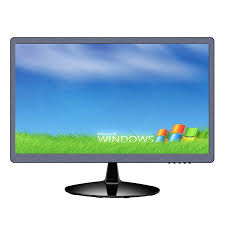
– The most useful device in output devices is the monitor, it is the main output device that communicates with the computer through the user. The tasks happening on the computer are displayed on the monitor itself. Monitor is also called VDU (Visual Display Unit). Monitors are generally divided into three parts on the basis of displayed colors-
(1) Monochrome :- It is made up of two words Mono (Single) and Chrome (Color). These types of monitors display the output as Black & White.
(2) Gray Scale :- These are special type of mono chrome monitors which display the output in Gray Shade.
(3) Color Monitor :- Displays the output of RGB (Red Green Blue) radiations.
Due to the principle of RGB, such monitors display graphics at high resolution. According to the capacity of the computer’s memory, such monitors have the ability to display output in colors ranging from 16 to 16 lakhs.
Monitors are of the following types
– CRT (Cathode Ray Tube)
– LCD (Liquid Crystal Display)
– LED (Light Emitting Diode)
CRT Monitor :- This type of monitor is used in most of the computers. It works in the same way as television, mostly CRT (Cathode Rays Tube) monitors are used in this type of monitor. CRT Monitor has Phosphor Coated Screen. When electrons fall on this screen, the light appears on the screen. Its picture quality is good.
Black & White Monitor is called Monochrome. A single beam of electrons is generated in a monochrome monitor, while three rays of RGB (Red, Green, Blue) are generated in a color computer.
Structure of CRT Monitor: – There is a tube at the back of CRT Monitor which is called CRT (Cathode Ray Tube). A filament is attached to it, which gets hot. There are three electron guns on the front of the CRT, from which three different colors come out, there is a focusing device on the front. It maintains the Focusing Device Rays in a straight line. Beyond this, there is a Magnetic Deflection Coil, which decides the direction of the Rays, which fall on the Phosphor Coated Screen, which makes the Screen Glow.
LCD – (Liquid Crystal Display): – It is a Digital Display System. In which there are transparent liquid substances between two layers of glass. The outer layer of LCD is coated by Tin Oxide. LCD monitors are mostly used for laptop computers, in addition to this type of Screen Lap Top, Calculator, Videogame and Digital Camera are used.
– Profit :-
(1) It uses less electricity.
(2) Their size is small.
– Loss :-
(1) It is more expensive.
(2) Resolution is not very good.
LED (Light Emmitting Diode)
This screen is a flat panel display monitor, light emitting diodes are used as pixels to display the image on this screen. This screen has more brightness, so that the image can be seen easily and less power is required.
– TFT (Thin Film Transistor)
It is a form of flat screen which is used more in monitors and other devices these days. It is light and slim in size. This could be another form of LCD.
– Plasma Monitor
Plasma monitor is very thin in thickness which is made by inserting a special type of gas in between two sheets of glass. This special type of gas is Neon or Xenon which glows when the gas is electrified through a grid of tiny electrodes. When voltage is given at a particular measurement at different points of the grid, it acts as a pixel and an image is displayed.
Monitor Features
(Main Characteristics of A Monitor):-
Small dots made on the screen are called Pixels. Here the word Pixel is the short form of Picture Element. Resolution is the number of pixels per unit area on the screen.
The more pixels there are on the screen, the higher will be the resolution of the screen i.e. the clearer the picture will be. If a display resolution is considered 640 by 840, it means that the screen is made up of 640 dot columns and 840 dot rows.
– Refresh Rate :-
– The computer monitor keeps on working continuously. Although we are not able to experience it with ordinary eyes. The image on the computer screen keeps on changing from left to right and top to bottom by the electron gun. But we can feel it only when the screen ‘clicks’. Often we are able to experience clear (refreshing of the screen) when the screen does not change rapidly. The refresh rate of a monitor is measured in Hertz.
– Dot Pitch –
– A dot pitch is the distance between pixels on a computer display screen measured in millimeters. Displays with a smaller dot pitch makes text easier to read and creates a shaper image.
– Bit Mapping –
– The technique used to display graphics output is called Bit Mapping. In this technique, each pixel of the bit map graphics is controlled by the operator on the screen. This allows the operator to create graphics of any shape on the screen.
– Monitor size is measured diagonally.
– Aspect ratios are the ratio of the width and height of the monitor screen. This is called aspect ratio.
Resolution The product of horizontal and vertical pixels displayed on the monitor’s screen is called resolution. Resolution is the number of dots or pixels present in a unit area.
Printer
It is an output device and with its help information is taken on paper. These can be classified as follows –
(1) Impact Printer
(2) Non Impact Printer
(1) Impact Printer :- It is a device made on the principle of a Type-Writer, which prints letters by striking on Ribbon or Paper, it works on Striking Theory.
(2) Non Impact Printer :- They do not strike the ribbon and print characters by chemical inkjet or optical method. Apart from these, Printer has been kept in other three categories. –
(1) Character Printer – Prints one character at a time.
(2) Line Printer – Prints a complete line at a time.
(3) Page Printer – Prints the entire page at once.
The main printers are of the following types –
– Dot Matrix Printers :-
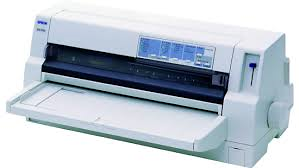
– It is an Impact Printer and it comes under the category of Character Printer, a Matrix of many Pins is formed in its Printer Head and a Dot is formed by touching each Pin on the Ribbon and Paper and many Dots together form a Character or Image. . Only the pins that print one particular character at a time exit the printer head and print the dot. Some Dot Matrix Printers have the ability to print lines in both right-to-left and left-to-right directions. The speed of these printers can be 30 to 600 Character / Second. Many dots together make a character. Printers that run on both sides are called Bi-Directional Printers.
Features –
(1) DMPs are not very expensive.
(2) Their printing speed is fast.
(3) They work for a long time.
(4) Their paper printing quality is not better.
(5) They have the lowest per paper printing cost.
(6) Any type of shape can be printed in these.
(7) They make more noise.
(8) Only Black & White Printing can be done.
(9) Font size can be changed.
Inkjet Printer
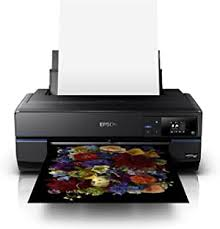
– It is a Non-impact Printer and comes under the category of Character Printer. In this, Ink is used for printing which is filled in Cartridge. There are small nozzles in these, by which characters and shapes are printed by spraying ink drops. There is a Magnatic Plate in it which decides the direction of Ink. Ink drops are charged in the nozzle of the Print Head and released in the proper direction on the paper. The output of this printer is more clear. They reduce the sound.
Laser Printer
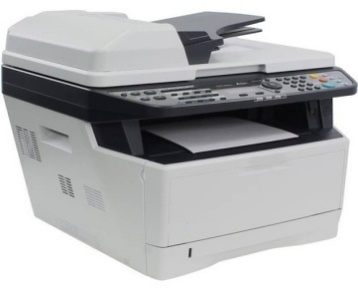
Laser printer is non impact page printer. Laser printers have been used in computer systems since 1970s. Earlier these were used in mainframe computers. These printers are more popular nowadays because they are able to print text and graphics faster and in higher quality.
Laser printer prints images on the page by Xerography technique. Xerography technology was developed for the Xerox company. Xerography is a photography-like technique in which film, a drum coated with a charged material, is photo-sensitized. Through this the output is printed on the paper.
The output from the computer is emitted as a laser beam from a laser source. This beam is focused by the lenses on a rotating polygon shaped mirror. When the drum rotates in it, the toner (powder of a special ink) sticks to the charged places. This toner is then transferred to the paper so that the output is printed on the paper. This output is temporary, as it is passed through a heated roller to permanently seal the toner to the paper.
Most laser printers have an additional microprocessor, RAM and ROM. Font and page layout programs are stored in ROM. Laser printer prints best output. Often it prints in resolutions ranging from 300 Dpi to 600 or even higher.
Color laser printer delivers high quality color output. It contains special toner, in which particles of different colors are available.
Laser printers are expensive but their printing speed is high. This printer can also print the output on a plastic sheet or any other sheet. They are used to print the master copy of the offset printing machine, from which a large number of copies of the output are printed.
Features –
(1) Their Printing Speed is fastest.
(2) Their Printing Quality is the best.
(3) Mostly useful in designing.
(4) Their printing cost is high.
(5) Both Black & White and Color printing can be done.
(6) Their maintenance is difficult.
Thermal Printer
This printer uses heat or hot elements to print the characters on the paper. In this printer, the ink is melted and printed on the paper. A special paper is used in a thermal printer.
– Plotter
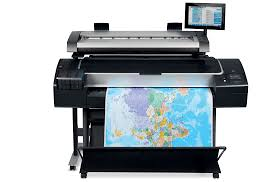
It is an Output Device that is used to print Charts Drawing, Maps, 3-D Diagrams, Graphs and other types of Hard Copy. There are arms in it, in which pens are attached, they move the arms and where paper is attached, the image is created there.
These are of two types-
(1) Flat Bed Plotter (2) Drum Plotter
(1) Flat Bed Plotter:- In this plotter, the paper is kept in a bed or tray in a stationary state. A pen is mounted on an arm, which moves the paper up-down (Y-axis) and left-right (X-axis) on the motor. The computer controls the pen along the X-Y axis and draws the shape on the paper.
(2) Drum Plotter: – This is such an output device, in which pens are used, which create a shape on the surface of the paper by moving. The paper is mounted on a drum, which moves forward. The pen is controlled by the computer. Many pen plotters have fiber tipped pens. Technical Drafting Pen is used if high quality is required. The speed of the pen is one thousandth of an inch at a time. Many color plotters have four or more pens. Plotters plot an entire drawing at a rate of a few inches per second.
Multimedia Projector
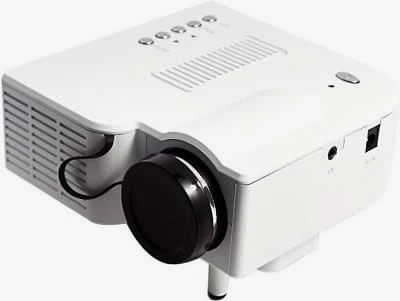
It accepts video signals as input and displays the image accordingly on the screen using the lens. All types of projectors use very strong light to display the image. Modern Projectors have the ability to improve Image etc. through Manual Settings. Nowadays it is used in Conference and Presentation etc.
Speaker
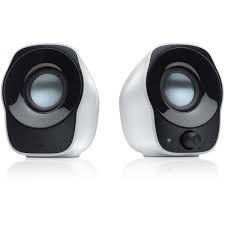
It is a main output device of the computer, through which the sound of the computer or the sound of any audio, video playing in it is heard outside.
कम्प्यूटर का सामान्य परिचय : General introduction of computer
Computer Network devices ( NIC , HUB , ROUTER ) Notes
Note : If you are preparing for UPSC, SSC or any other exam then definitely join us.
In this post, we have given you information about Output Devices of Computer, hope you have liked it, you will definitely work for the upcoming exam, so definitely read them well once.
1 thought on “Output Devices of Computer | कंप्यूटर के आउटपुट डिवाइस ”